
Every customer and every RO unit
Brand, model, installation date, warranty and TDS readings for each unit, with its full service history. Units you did not install can be serviced too.
More about customers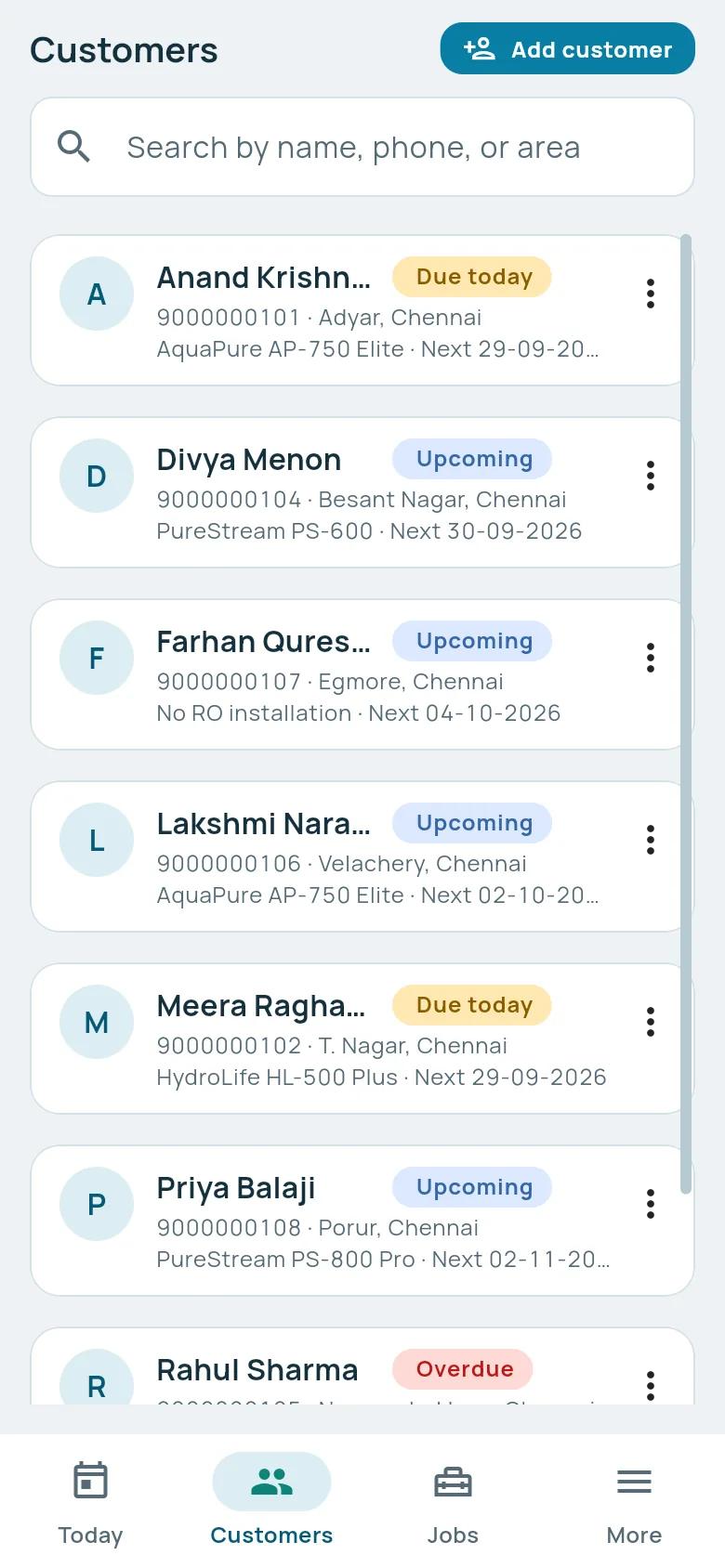
Track upcoming services, create branded bills, manage stock and follow up on unpaid balances, from your phone or computer.
Works in your browser on phone and computer. Android app coming soon.
Add your business details, branding, customers and RO installations.
Track services, reminders, payments, products and stock.
Generate branded bills, follow up on outstanding payments and understand your business performance.
Available now
Brand, model, installation date, warranty and TDS readings for each unit, with its full service history. Units you did not install can be serviced too.
More about customersReminders come from each unit's last completed service. Due today, upcoming and overdue, in one list.
Numbered PDF bills with your branding, shared straight to the customer's WhatsApp.
INV-2026-000142
Sell filters, membranes and purifiers, track stock, and see what is running low.
Payments, balances, expenses and other income in one place. Reports with export to CSV.
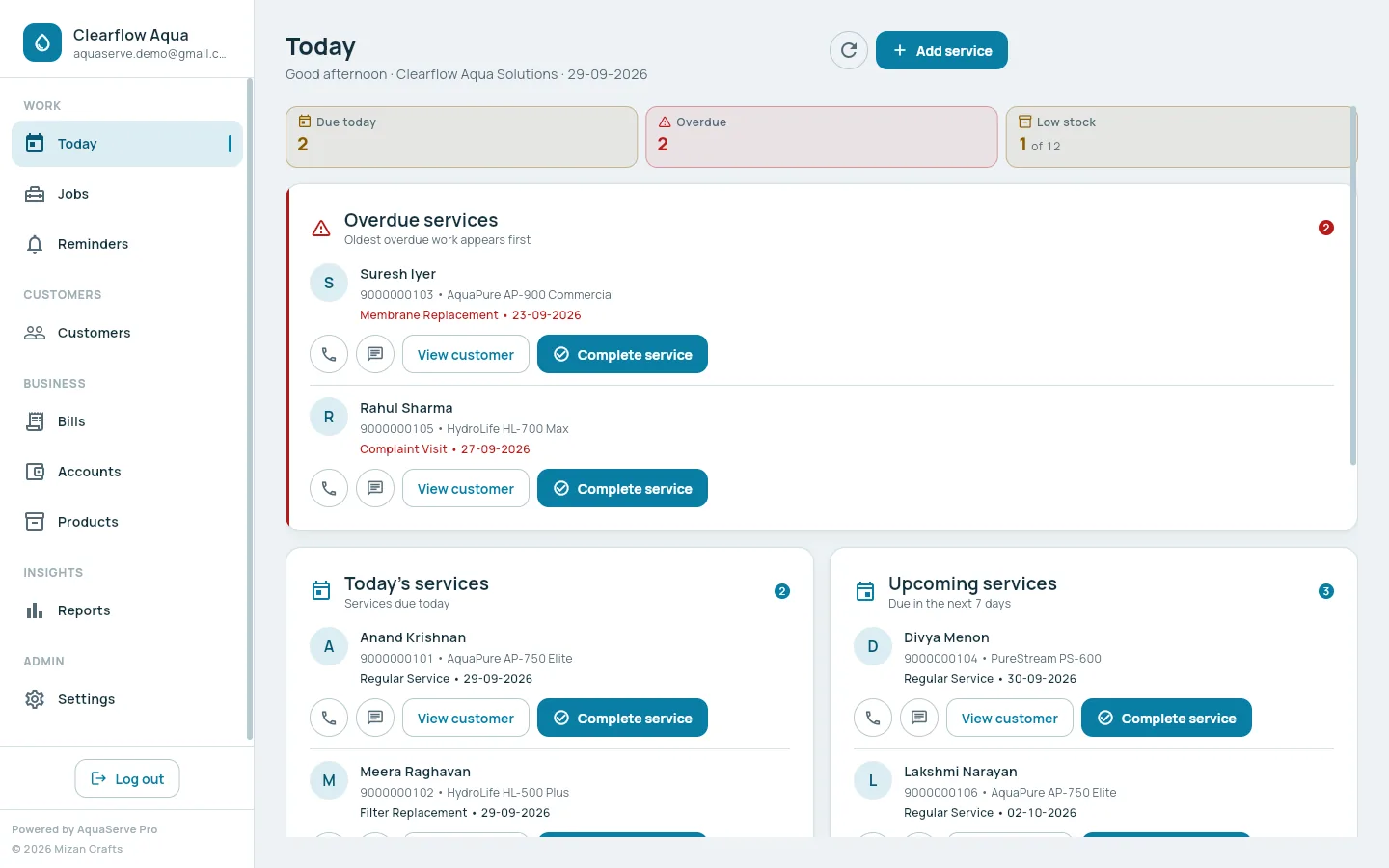
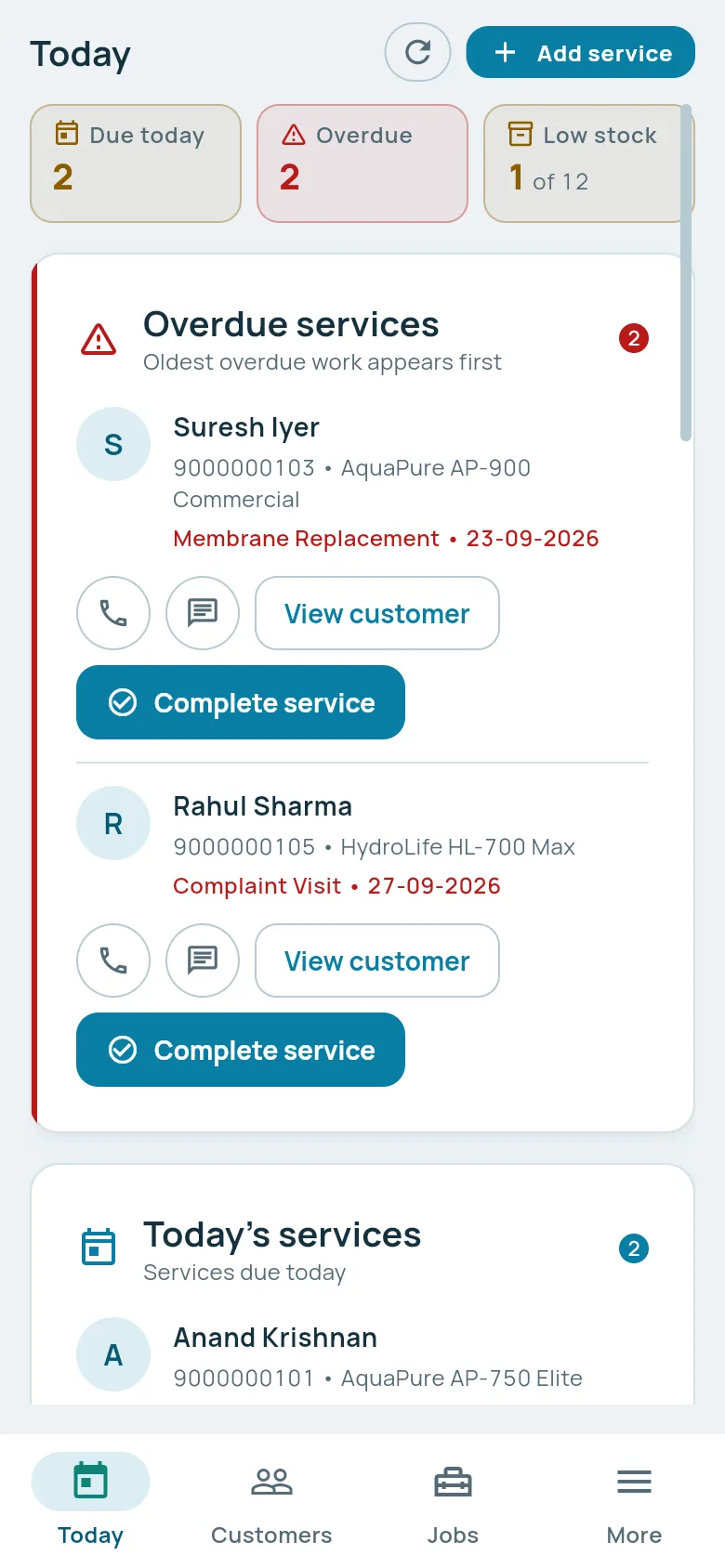
Take jobs on your phone at the customer's door. Check accounts, stock and reports on a computer in the shop. Same login, same data. Tap any screen to see it full size.
What needs doing today, and what is already late.
Your staff and customers see your business, from the app's sidebar to the PDF bill.
Explore AquaServe Pro with your own business and see how it fits into your daily RO service workflow.
Request your 7-day free trialAfter your trial, request to continue using AquaServe Pro and our team will contact you with activation and plan details. Nothing is charged automatically.
Plans are discussed with you after your trial, based on your business.
₹0for 7 days
Send us a continuation request and our team will contact you with available plan and activation details.
Nothing is charged automatically when the trial ends.
These are planned and not available yet. Everything above this section is in the app today.
Assign service jobs to technicians and manage their daily work.
Give customers access to their RO systems, service history and bills.
Allow customers to request RO service digitally.
Send automated service reminders and customer updates.
Enable convenient digital bill payments.
Control access for owners, admins and technicians.
Get deeper insights into revenue, customers, services and inventory.
More branding options for growing RO businesses.
Software for running an RO water purifier business: customers, RO installations, service jobs and reminders, payments, products and stock, bills, accounts and reports, in one app.
Request a trial with your business details. We set up your account and send your login. You then have 7 days to use it with your own customers and work.
No. The trial does not ask for card, UPI or bank details.
Nothing is charged automatically. If you want to continue, send us a continuation request and our team will contact you with plan and activation details.
No. The customers, services and bills you entered stay in your account. If you decide not to continue, you can ask us to remove them.
Not yet. An Android app is coming soon. Until then, use AquaServe Pro in your phone's browser.
Try AquaServe Pro free for 7 days. No payment details required.